HARDWARE
SUPPORTS
- Arduino - Arduino Uno, Nano, Mega, and compatibles
- MicroBlocks - Live visual block scripting for microcontrollers
- BBC micro:bit - micro:bit v1 & v2 using MakeCode or Python
- Raspberry Pi Pico - Pico and RP2040 microcontrollers
- CircuitPython - Adafruit Circuit Playground Express, Feather, and Qt Py
- MicroPython - ESP32, ESP8266, and MicroPython boards
- LEGO SPIKE Prime - LEGO Education SPIKE Prime and Robot Inventor Hubs
- Bluetooth (BLE) - Wireless connection via Bluetooth Low Energy (Nordic UART)
ARDUINO
We will be using the Arduino UNO for a sample microcontroller.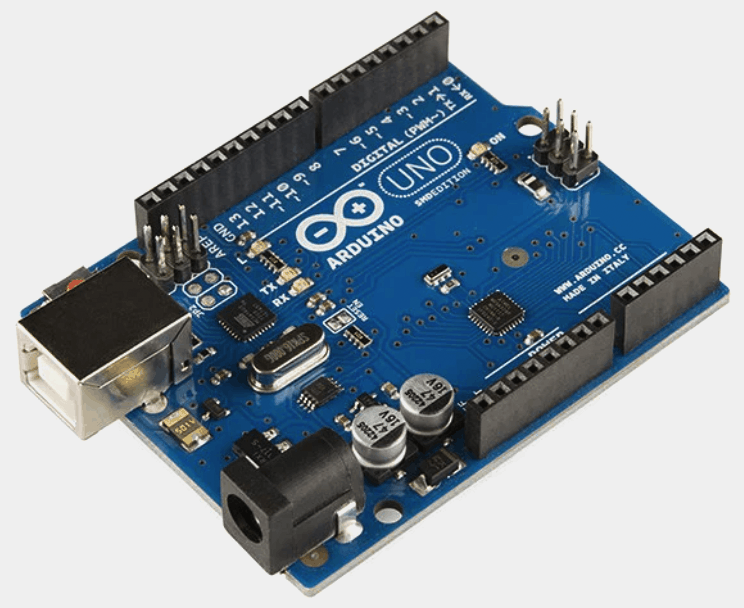
- INPUT - using ZIM as input to control the physical world
- OUTPUT - using the physical world to control ZIM

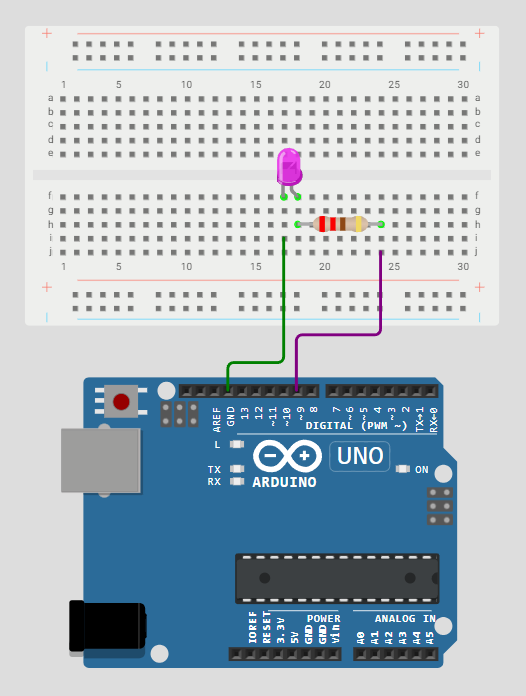

INPUT
Press a toggle in ZIM to turn off and on the light on the Arduino. Here is an INPUT ZIP file to help set up your Hardware Zapp including:- CIRCUIT DIAGRAM with Arduino UNO, Breadboard, Resistor (220Ω), LED
- ZIM CODE - using write() method of Hardware() class
- ARDUINO CODE - setup in Arduino IDE
OTHER INPUTS
- Use a hitTest to trigger Arduino buzzer
- Use a Slider to change the speed of a blinking light
- Use a TextInput to write to a remote LCD Screen

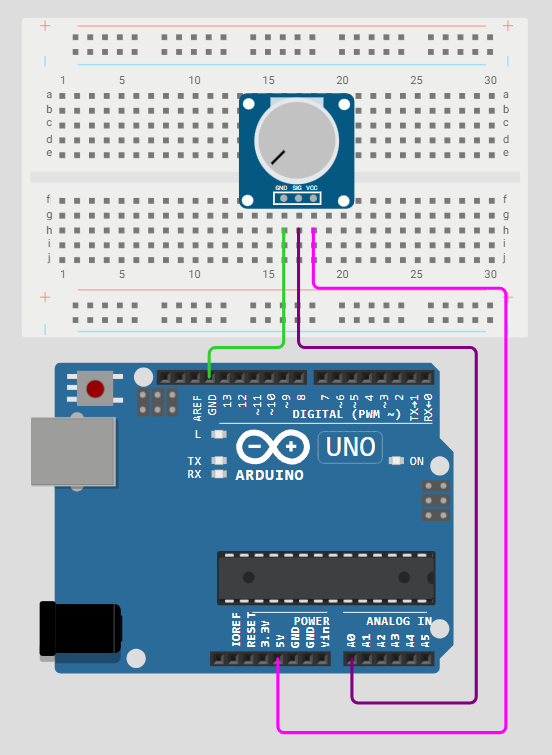
OUTPUT
Turn a knob on the Arduino to change the speed of the boat (and rotate the arm of the sun). Here is an OUTPUT ZIP file to help set up your Hardware Zapp including:- CIRCUIT DIAGRAM with Arduino UNO, Breadboard, Potentiometer
- ZIM CODE - using data event of Hardware() class
- ARDUINO CODE - setup in Arduino IDE
OTHER OUTPUTS
- Use an Ultrasonic (proximity) sensor to change ZIM Synth
- Use two buttons on a breadboard to page through ZIM Carousel3D
- Use a joystick to control a ZIM MotionController (manual type)